
Infotainment Systems
An infotainment system is the vehicle’s digital interface for media, navigation, communication and connected services. In many EVs it also presents vehicle settings, charging controls and energy information, so its speed and clarity affect routine driving as much as its screen size.
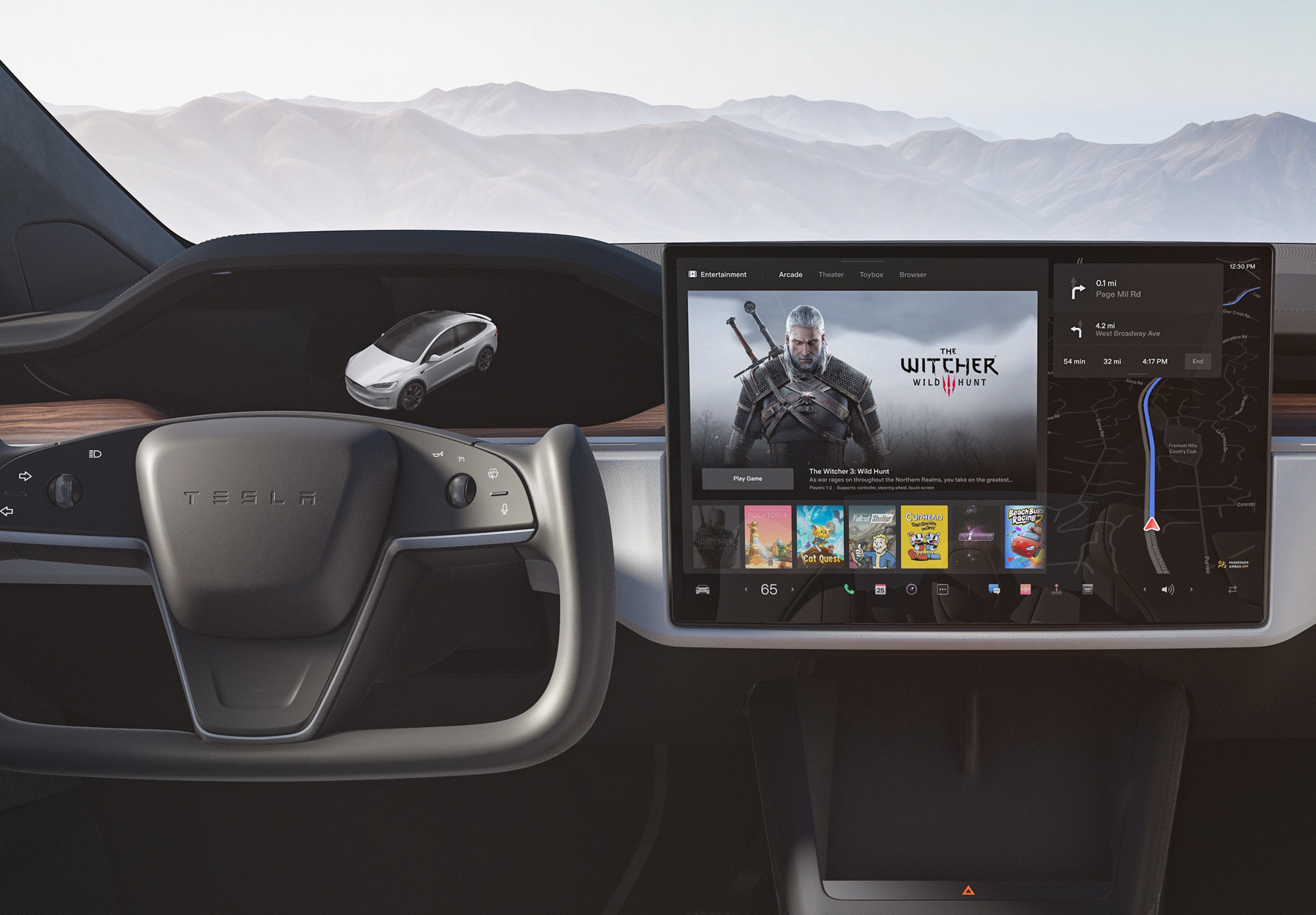
What the system includes
The visible display is only one part of the system. A modern in-vehicle infotainment platform can include:
- a head unit with processors, memory and storage;
- one or more center, passenger or rear displays;
- the driver display and head-up display where the architecture allows shared content;
- microphones, amplifiers and speakers;
- GNSS, Bluetooth, Wi-Fi, USB and mobile-data connections;
- steering-wheel controls, rotary controllers, touchpads and voice input;
- an interface to other vehicle computers; and
- software, online accounts, apps, map data and cloud services.
These parts do not have to run on one computer. Safety-critical tell-tales, warning chimes and driving functions may be handled by separate electronic control units even when the infotainment display presents related information or a control.
Native software and phone projection
A native system runs on hardware installed in the vehicle. It can be developed entirely by the manufacturer or built on a platform such as Android Automotive OS. Android Automotive runs in the car; it is not the same product as Android Auto, which runs from a connected phone and projects a driving interface to a compatible vehicle display. Google Automotive Services is a separate, optional package that a manufacturer can license for an Android Automotive implementation. Android Open Source Project: What is Android Automotive?
Apple CarPlay and Android Auto give drivers a familiar phone-based interface and supported apps. A good native system still matters because it remains responsible for functions that phone projection cannot reliably replace: vehicle settings, cameras, charging menus, software updates and operation when the phone or mobile connection is unavailable.
The related EVKX articles examine Audio Systems in Electric Vehicles, EV Navigation and Route Planning, Smartphone Integration in Cars and Vehicle Controls in Infotainment Systems in detail. Display layout and hardware are covered separately in Screens and Displays.
Performance is more than screen size
Display dimensions and pixel count say little about whether a system is pleasant to use. The useful measures are how quickly it starts, how consistently it responds and how few steps a driver needs for common tasks.
Important qualities include:
- legible text and graphics in bright sun and at night;
- predictable menus with persistent shortcuts for frequent functions;
- low input latency and smooth map movement;
- a clear distinction between a requested setting and the vehicle’s actual state;
- reliable voice recognition without making voice the only practical input;
- fast reconnection to known phones;
- usable navigation, climate and audio functions during a poor data connection; and
- a recovery path if an app or display stops responding.
The U.S. National Highway Traffic Safety Administration’s voluntary visual-manual guidelines recommend that suitable tasks be designed around individual off-road glances of no more than two seconds and a cumulative glance time of no more than 12 seconds. They also recommend locking out unsuitable tasks while driving. These are design criteria, not a promise that every compliant-looking interface is safe in every situation. NHTSA: Visual-Manual Driver Distraction Guidelines
Euro NCAP’s 2026 assessment adds scrutiny of the placement, clarity and ease of use of essential controls, including the availability of physical controls for commonly used functions. That makes control design—not the number of screens—a safety and usability issue that buyers can compare. Euro NCAP: 2026 protocol changes and vehicle controls
Updates, connectivity and service life
Connected infotainment can receive new functions, maps and fixes without a workshop visit. It can also depend on a manufacturer’s servers, a data subscription or third-party services whose support life may be shorter than the vehicle’s.
Before buying, check:
- which features require a subscription or the vehicle’s mobile connection;
- whether maps and core functions work offline;
- the manufacturer’s stated software-support policy;
- whether updates can be postponed and how long installation takes;
- whether user profiles, paired phones and app accounts are easy to remove; and
- what remains functional after connected services end.
UN Regulation No. 156 establishes requirements for vehicle software-update management, including protecting update authenticity and integrity, informing users, and placing the vehicle in a safe state or restoring it after an interrupted update. Its scope is broader than the infotainment screen, but the regulation explains why vehicle updates need more discipline than ordinary consumer-app updates. UNECE: UN Regulation No. 156 on software updates
Security and privacy
An infotainment system may store destinations, contacts, messages, voice data, account tokens and precise location history. Connectivity also creates paths that a manufacturer must assess and protect. UN Regulation No. 155 introduced an international vehicle type-approval framework for cybersecurity management, risk assessment and continuing response to threats. It does not mean that any connected car is invulnerable. UNECE: UN Regulation No. 155 on vehicle cybersecurity
Use separate driver profiles where available, review app and contact permissions, and remove accounts and paired devices before selling or returning a vehicle. A factory reset should be part of the handover, but the owner’s manual should be checked for services that must also be disconnected from an online account.
What to test before buying
Pair the phone you actually use and try both a normal start and a restart. Enter a destination, change the temperature, find the defogger, switch audio sources, mute a navigation prompt and return to the map. Repeat the most frequent actions without studying the screen.
Also check the interface after changing language, with polarized sunglasses if you use them, and from both front seats. A polished demonstration while parked cannot show whether a buried control, slow cold start or unreliable connection will become irritating over years of ownership.